
Viewing survey results - Tutor Portal View
When tutors log in to their skillsOnCourse portal they can review the student feedback submitted for the classes they have delivered, in a dedicated feedback view (for example, from the class in their timetable or class results).
- Anonymous - all feedback shown to tutors is completely anonymous. Student names and other identifying details are never displayed.
- Only questions visible to tutors are shown - administrators can choose, per question, whether a field on a Student feedback form appears in the Tutor Portal. See How to Edit/Remove Survey Questions.
- Released on the tutor schedule - feedback only becomes visible to tutors according to the Tutor Portal delivery schedule, which can be later than when students are able to submit it. See Requesting Feedback from Students.
- No feedback yet - if there are no submissions for the selected class, the tutor will see a 'No available feedback' message.
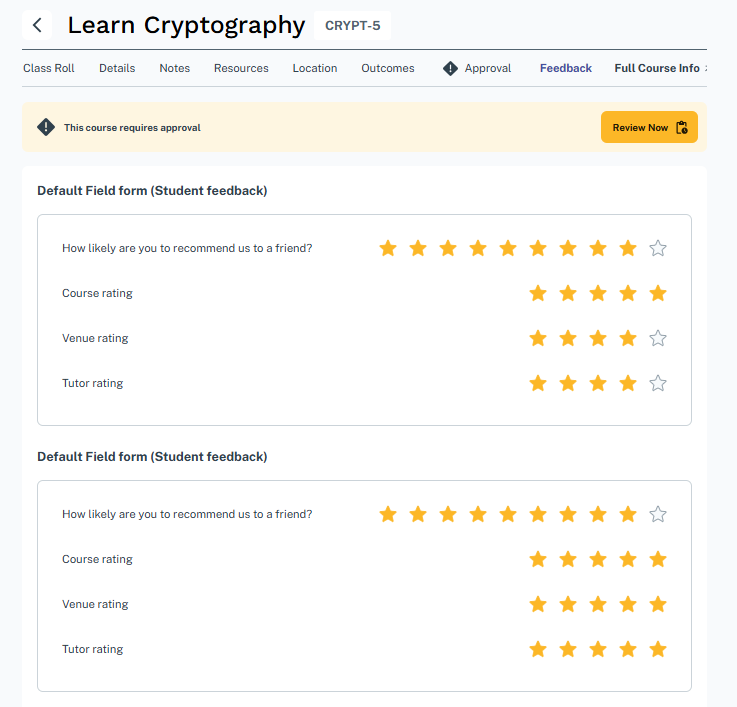
Figure 207. Tutor view of student feedback
Updated 8 days ago
Did this page help you?