
Documents sent to the bin are marked for permanent deletion. The bin is emptied at a random time every Sunday, and will remove any items that have a modifiedOn date of over 30 days old.
When a document is moved to the bin, all of its existing public links stop working and any attachments to other records are removed.
Documents can be restored by clicking the 'Restore' button within the record itself. Restoring a document does not bring back its attachments or previous settings - these need to be restored manually.
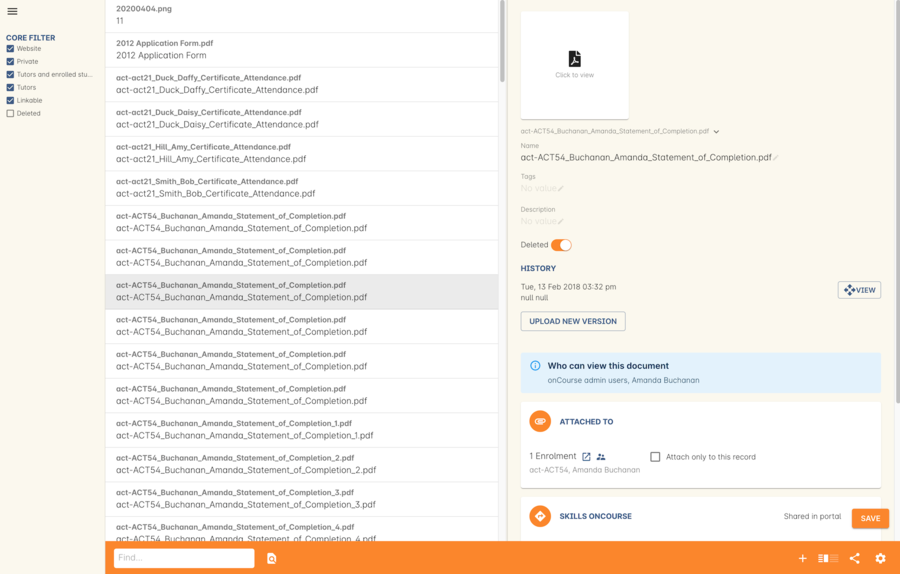
Figure 289. The "Deleted" switch for this document is on. Turn it off and save to recover the document.
Get notified about documents pending deletion
You can be notified of which documents are marked for deletion the following Sunday by enabling the Documents for Deletion script. This will send out an email (called 'Documents for deletion') that contains the file names of each document due to be deleted. Each document will be hyperlinked back to the document record in onCourse so you can easily restore it if you wish.
Updated 4 days ago