
How to Edit/Remove Survey Questions
In the Preferences window, click 'Data Collection Forms' to expand and you’ll find a form called Default Field Form (Student Feedback).
You can also make additional forms if you want to customise the questions per course.
Hiding questions from tutors
On data collection forms of type Student feedback, each field has a setting that controls whether it is visible in the Tutor Portal. Turn it off for any question you want to collect for internal use only, such as sensitive or administrative questions, so the answers aren't shown to tutors.
This setting only affects what tutors see - students still see and answer every question on the form.
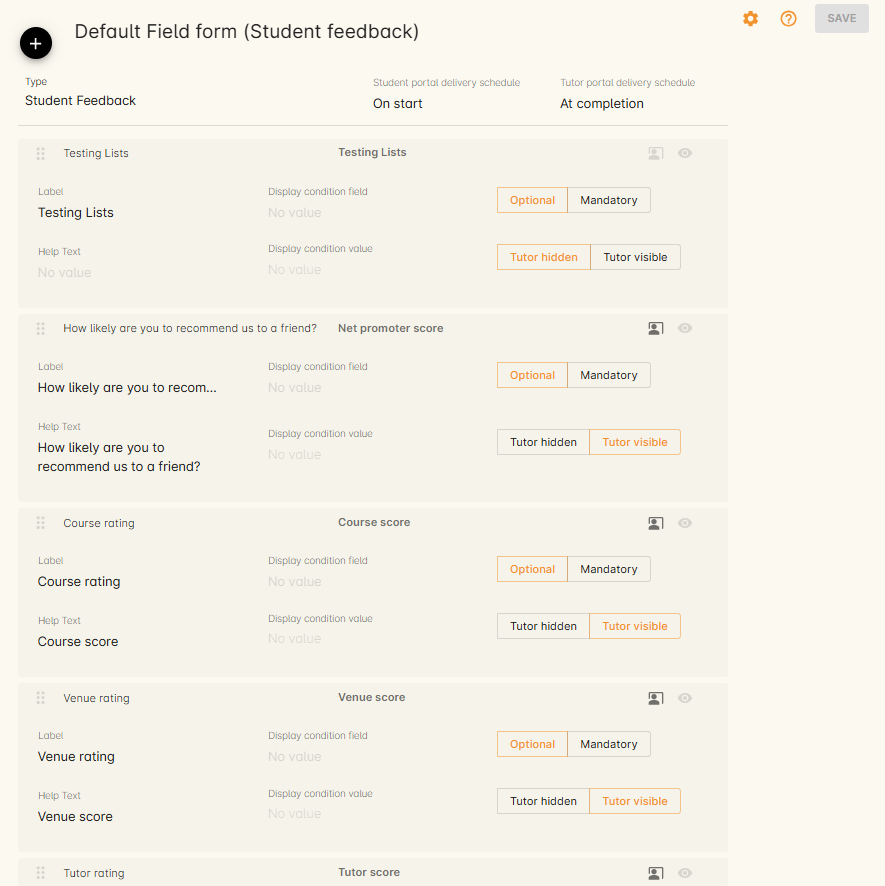
Figure 200. The default field form for Student Feedback
Updated 8 days ago
Did this page help you?